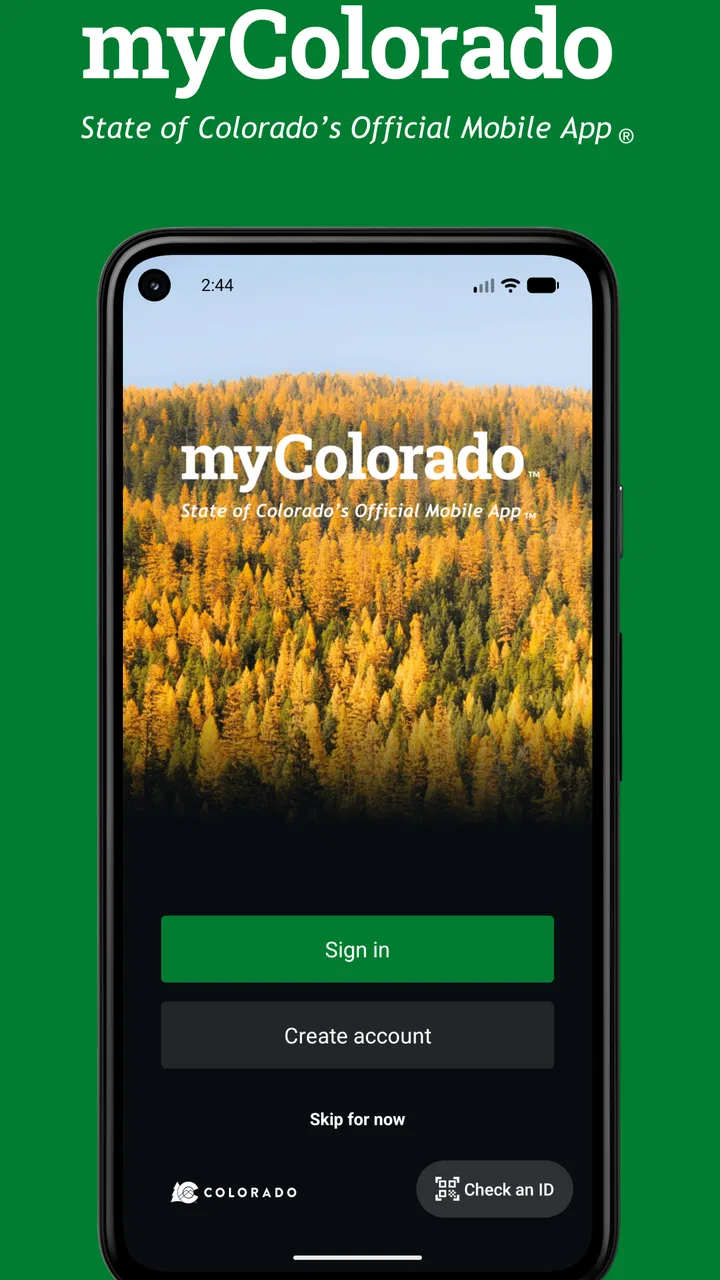
myColorado
- 4.2
- Rating
- 500.00K
- Installs
- Free
- Price

 Analysis by App-foxy
When I first look at a government app, I ask a simple question: does it actually save me time, or does it just put a few official links on a phone screen? myColorado is more ambitious than a basic directory. It is the official mobile app for Colorado, developed by the State of Colorado - Governor's Office of IT, and its value comes from bringing state-related tasks into one place rather than making residents search through separate websites.
That makes it a useful business-category app in a broad, practical sense. It is not aimed at running a company or managing invoices; instead, it helps people handle everyday interactions with state services. I found the idea most appealing when I treated the app as a starting point for administrative errands: something to open when I need to identify the right service, access a state credential, or check whether a task can be completed digitally before making a trip.
How I would decide whether myColorado belongs on my phone
The first decision criterion is frequency. If I live in Colorado, drive, work, study, or regularly deal with state services, the app has a much stronger case than it does for someone who is only visiting. A government app rarely becomes an everyday entertainment tool, but it can still earn its place when it removes repeated searching and keeps official services close at hand.
You May Also Like

 Blood Strike: 2.5 Anniversary
Blood Strike’s Loadouts Turn Every Drop Into a Tactical Gamble
A close look at Blood Strike’s custom loadouts: how fast access to signature weapons reshapes its battle royale rhythm, rewards preparation, and narrows the gap between fights.

 Pandora - Music & Podcasts
Pandora’s Music Is Easy to Start, but Harder to Recover
Pandora’s strength is its low-effort path from a seed to a station. Its weak spot is how much confidence it asks you to place in connection, setup, and quiet recovery.

 8 Ball Pool
 Is Built on Rivalries, Rematches, and Routine
A close look at the rivalries, rematches, shared routines, and unanswered safety questions that turn a quick pool match into a persistent mobile community.

 Samsung Music
’s Quiet Strength Is Playing What You Already Own
Its reach comes less from spectacle than from dependable access to a personal library. That simplicity is both the app’s strongest retention engine and its ceiling.

 AccuWeather: Weather Radar
AccuWeather Review: A Quick, Clear Forecast for Everyday Decisions
For everyday plans, the best forecast is the one you can understand quickly. AccuWeather makes rain timing, radar, and local conditions easy to act on, with a few trade-offs.

 Hill Climb Racing
Why Hill Climb Racing Still Turns Crashes Into One More Run
A tiny car, a bumpy hill and one more upgrade: Hill Climb Racing keeps resurfacing because its simple chaos makes every near-miss feel personal.
More From Our News Desk



The second criterion is convenience versus completeness. A single official app can make navigation easier, but it does not automatically replace every state website, office, or paper process. I would install it expecting a central doorway, not assuming that every transaction will be finished without leaving the app. That distinction matters because it prevents disappointment when a task still requires a browser, additional verification, or an in-person step.
The third criterion is trust. For state services, I prefer an official source over a random third-party app that collects links or claims to simplify government tasks. The developer identity is clear here: the State of Colorado - Governor's Office of IT. That gives the app a practical advantage for residents who want to begin from a source connected directly with Colorado government rather than rely on an unofficial directory.
The app is free and rated for Everyone, so the barrier to trying it is low. Its current version is 12.11, and the minimum operating system is 12. That last point is worth checking before installation, especially if an older phone is still working well for you. On a compatible device, there is little financial risk in testing it, but the real question is whether its state-focused tools match the errands you actually have.
The first-run experience and the right way to explore it
I would not judge myColorado after opening it once and tapping the first visible option. Government apps often reward a little exploration because the useful feature may be connected to a life event rather than a familiar app category. I would scan the main areas, look for services relevant to my current situation, and note which tasks can be completed directly and which ones lead to an official web page or another step.
A useful habit is to open the app before starting an administrative task, not after getting stuck. For example, if I need to deal with a Colorado document or state service, I would first search inside myColorado for the relevant topic. That approach can reveal the official route and reduce the risk of using an outdated bookmark, an advertisement-heavy search result, or a misleading third-party service.
I also recommend treating the app as a service organizer rather than a document warehouse. I would avoid assuming that every important record should be stored only on the phone. For anything essential, I would still keep the appropriate physical or secure backup available, particularly before traveling, visiting an office, or dealing with a deadline.
Where the official approach wins
The strongest part of myColorado is its identity. The app is not trying to be a general-purpose productivity suite, a private document manager, or a collection of unrelated utilities. Its focus is Colorado, and that narrow scope is exactly what makes it useful when the problem is finding the correct state channel.
In my experience, the biggest hidden benefit of a centralized government app is reduced uncertainty. A search engine may return several pages that look official, while a social media post may point to an old process. Starting with the state’s own app gives me a clearer first step. Even when I eventually move to another screen, I am more likely to begin from the right department or service.
It is also helpful for people who do not remember the name of the responsible agency. Residents usually think in terms of tasks: renewing something, checking a credential, finding a service, or handling a state-related obligation. An app organized around those needs can be friendlier than a government website organized around internal departments. That is a meaningful design advantage, especially for occasional users.
The audience size suggests that this is not an experimental niche tool. It has passed half a million installs, with an average rating of 4.4 from roughly twelve thousand ratings. I would not treat popularity as proof that every function works perfectly, but it does indicate that many Colorado users have found enough value to install and rate it.
A realistic everyday scenario
Imagine I have a busy workday and need to handle a Colorado state task during a lunch break. My old approach might be to search the web, open several results, wonder which page is current, and then discover that I need a different department. With myColorado, I would begin in the app, identify the service category, and follow the official path from there.
If the task can be handled digitally, that may save a trip. If it cannot, the app can still be useful because it may help me understand where to go and what kind of service I need before I leave work. The time saving is not necessarily dramatic every time, but avoiding one wrong form, one wrong office, or one unnecessary search can make the app worthwhile.
There is another scenario where the app makes sense: moving from occasional state errands to a more organized routine. Rather than saving several government pages in a browser and trying to remember which one handles which issue, I can use the official app as my first checkpoint. That is a small workflow change, but it makes state administration feel less scattered.
Three practical habits that improve the experience
Use it before a deadline, not on the deadline. I would open myColorado early enough to discover whether a task is fully digital or whether it requires another channel. This is more useful than waiting until the final hour and assuming that an official app guarantees instant completion.
Search by the outcome you need. If I do not know the responsible agency, I would describe the task in ordinary terms and browse the service areas instead of starting with department names. That mirrors how residents think and helps the app serve as a guide rather than merely a list of government offices.
Keep a backup plan for identity and access. If a task involves an official credential or a sensitive account, I would make sure I can still complete the errand if my phone battery is low, the connection is unreliable, or an additional verification step appears. Convenience is valuable, but it should not become a single point of failure for an important state transaction.
These habits also clarify what the app can and cannot do. myColorado can make the route easier to find and may simplify access to supported services, but it does not remove the underlying rules of Colorado administration. A required document, eligibility condition, or official review remains part of the process.
Where other options may fit better
The usual alternative is a mobile browser. For a person who handles one Colorado task once a year, searching the official state website may be enough. A browser is also better when I need to compare several pages at once, save a specific form, or work from a desktop with a larger screen. In that situation, installing a dedicated app may add little value.
Another alternative is going directly to a department’s website. That can be preferable when I already know exactly which agency handles my issue and need detailed instructions, long-form documentation, or a specialized page. A focused website may expose more context than a compact mobile app, especially for complicated cases.
In-person service may still be the better choice when the matter is unusual, urgent, or difficult to explain through a digital workflow. Someone who needs personal assistance, has trouble with online verification, or is unsure which documents apply should not feel forced to solve everything through an app. The convenience of myColorado is strongest for routine discovery and supported digital tasks, not for every exception.
I would also skip it if I do not live in Colorado and have no reason to use Colorado state services. Visitors may occasionally need official information, but a permanent installation is harder to justify when the app’s usefulness depends on an ongoing connection to the state. Likewise, people who strongly prefer desktop administration may find a browser workflow more comfortable.
The cost of switching from browser bookmarks
Switching to myColorado is not expensive in the usual sense because the app is free. The real cost is learning one more interface and deciding which tasks belong there. I would spend a short session exploring the service areas, then replace a few scattered bookmarks with the app as my starting point.
There is also a small mental cost. A centralized app can create the impression that everything is in one place, while some journeys may still move to another official page or require a separate step. I would accept that trade-off if the app consistently helps me find the right path. I would not expect it to replace every browser bookmark immediately.
For people who already have a reliable system, the switch may not be worthwhile. If my bookmarked pages are current, I know exactly which department I need, and I rarely use state services, myColorado may simply duplicate what I already do. The strongest reason to change is not novelty; it is reducing uncertainty during recurring or unfamiliar errands.
Privacy, access, and practical expectations
Before using any official service app, I would review the permissions and account prompts shown on my own device and decide which functions I am comfortable enabling. I would also keep the operating system updated enough to meet the app’s requirement. These are ordinary precautions, but they matter more when an app is connected to government-related tasks.
I would not install it expecting a completely offline experience. State services often depend on current information and secure connections, so I would plan to use the app with a dependable internet connection. If I were heading to an appointment, I would prepare any needed information beforehand instead of assuming that a weak signal will not matter.
The age rating of Everyone makes the app broadly approachable, but that does not mean every state task is equally simple for every person. A younger user, a new resident, or someone unfamiliar with Colorado agencies may still need to read the instructions carefully. The app can reduce navigation friction; it cannot replace judgment when a form or official requirement is unclear.
My recommendation for Colorado residents
I recommend myColorado to Colorado residents who want one official starting point for state services and who use a compatible phone. It is especially worthwhile for people who regularly deal with state administration, dislike searching through multiple agency pages, or want to check digital options before traveling to an office.
I would recommend it less strongly to occasional users who already know the exact state website they need. For them, a browser may remain faster. I would also choose a direct agency website or in-person help when the issue is highly specialized, involves an exception, or requires detailed personal assistance.
Overall, I see myColorado as a practical decision tool rather than a magical replacement for Colorado government websites. Its best contribution is bringing official state access closer to the way people actually think about errands: by the task they need to complete. The app is free, broadly accessible, and supported by a substantial user base, while its limitations are the normal trade-offs of putting complex public services into a mobile interface.
My final advice is simple: install it if Colorado services are part of your regular life, explore it before an urgent task, and keep your browser or in-person options available for complicated cases. Used that way, myColorado earns its place as a dependable first stop—not because it eliminates every administrative step, but because it can make the first step much clearer.
FAQs for myColorado
01What is myColorado and what can I do with it?
myColorado is the official mobile app of the State of Colorado. It offers residents a secure and convenient way to access state services, such as storing digital versions of your driver's license, vehicle registration, and insurance card. You can also access state benefits, renew your driver's license, and receive alerts about important state updates.
02How secure is the myColorado app?
Security is a top priority for myColorado. The app uses advanced encryption and authentication methods to protect your personal information. Additionally, users must set up a secure PIN or use biometric authentication, such as fingerprint or facial recognition, to access the app, ensuring that your data stays safe.
03Is the myColorado app available for both Android and iOS devices?
Yes, myColorado is available for download on both Android and iOS platforms. You can find the app in the Google Play Store and the Apple App Store. Ensure your device meets the minimum system requirements for the app to function correctly and provide the best experience.
04Can I use myColorado as a form of ID in all situations?
While myColorado's digital ID is accepted in many situations within Colorado, it's important to verify its acceptance with individual businesses or authorities beforehand. Some locations may still require a physical ID. Always check in advance to avoid any inconvenience.
05How can I troubleshoot issues with the myColorado app?
If you encounter any issues with the myColorado app, first ensure that you have the latest version installed. Check your internet connection and restart your device. If problems persist, the app offers a support section with FAQs and contact information for further assistance from customer support.
Pros
- Easy access to state services.
- Secure digital ID feature.
- User-friendly interface.
- Offers real-time alerts.
- Includes vehicle registration renewals.
Cons
- Limited to Colorado residents.
- Occasional login issues.
- Some features require in-app purchases.
- Compatibility issues with older devices.
- Limited customer support availability.

myColorado
Gallery